


Naples Daily News
3.090.00 Reviews
App Specs
- Version
- 8.10.3
- Updated On
- License
- Free
- Downloads
- 10,000+
- Developer
- USA TODAY Co.
- Categories
- News & Magazines
- Platform
- Android
Screenshots
 Analysis by AppCompare
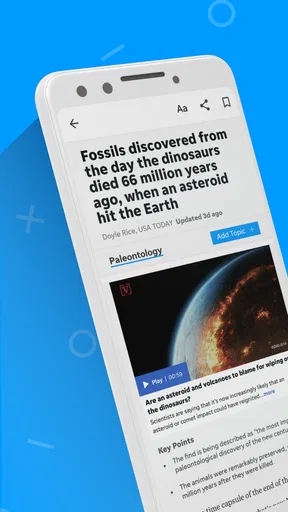
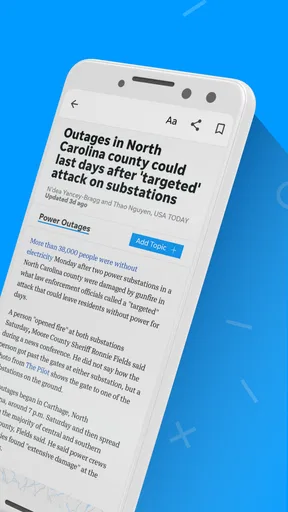
When I open Naples Daily News, I am looking for a quick way to understand what is happening around Naples without sorting through a crowded national news feed first. This is a news and magazines app from USA TODAY Co., focused on local and national reporting, photography, and video. That mix makes it more useful than a simple headline reader when I want local context, but it also means the experience is best for readers who are comfortable moving between short updates and richer stories.
The app is free to install, with optional in-app purchases ranging from $19.99 to $69.99 per item. It is rated for Everyone 10+, runs on Android 8.0 or later, and currently appears as version 8.10.3. Its average rating is 3.0 from around 200 ratings, with around 90 written reviews, while the install count is over 10,000. I would not treat those figures as a final verdict, but they do suggest that the app has a smaller audience and a more mixed reception than the biggest national news apps.
What to expect when you open the app
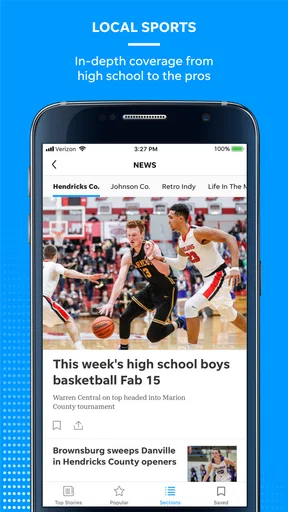
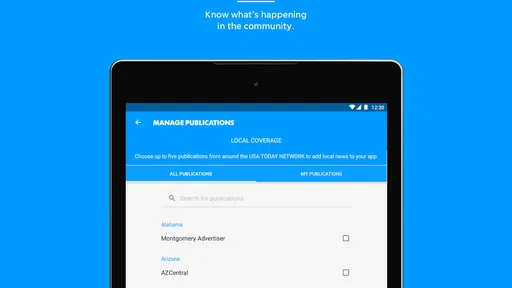
The clearest reason to choose this app is its local focus. National news apps are good at showing major stories quickly, but they can make local developments feel like an afterthought. Naples Daily News puts the regional publication at the center, so I would use it when local events, community developments, nearby public decisions, or area sports matter more to me than a general stream of national headlines.
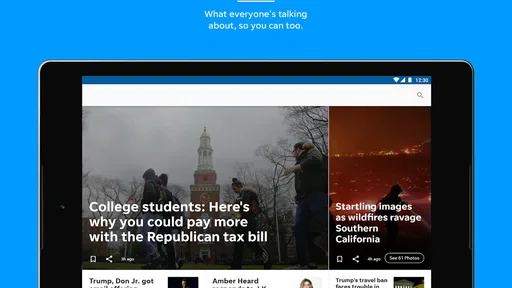
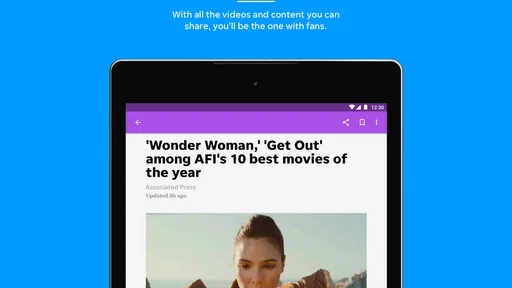
At the same time, I would not expect a narrow bulletin limited to neighborhood notices. The app combines local and national news, which gives me a practical middle ground: I can check what is happening close to home and then move into broader coverage without immediately switching applications. The photography and video are also important here. A written article may answer what happened, while an image or video can make a location, event, or developing story easier to understand.
That visual emphasis has a trade-off. If I only want the fastest possible list of headlines, a lightweight news reader may feel more direct. This app makes more sense when I value the publication’s presentation and want to spend a little time with a story. On a small phone screen, large images and video can also make browsing feel less compact than a text-first alternative.
My first recommendation is to decide what job the app needs to do. If the job is “tell me the most important national stories in a few seconds,” I would probably choose a broad news aggregator. If the job is “help me keep up with Naples while still giving me access to national coverage,” this app has a much clearer purpose.
Who is likely to get the most from it
I see the strongest fit for local residents, people who have moved away but still care about the area, and visitors who want more than a generic travel feed. It can also suit readers who prefer following one publication rather than combining several unrelated sources. The local angle gives the app an identity that a general-purpose news application usually lacks.
Worth Reading Before You Choose

EA SPORTS FC Mobile 26 Is a Bigger Football Game, but It Takes Time

Flipboard Shows What News Apps Must Do Beyond the Feed

Switching to Android Auto Means Rethinking Your Driving Routine

Google Calendar Makes a Crowded Week Easier to Manage

Ludo King Makes the Most of the Minutes Between Plans

Baby Panda World Brings Quick Play to Modern Phones, but Its Game Library Feels Busy
It is less convincing for someone who wants a highly customizable news dashboard, a huge range of international sources, or a strictly neutral headline-only interface. The app is tied to the Naples Daily News experience, so its value depends on whether that publication’s coverage matches the places and subjects I care about.
Getting through the first setup without confusion
Installation should be straightforward on a compatible Android device, since the minimum operating system is Android 8.0. After opening it, I would take a moment to look through the main navigation rather than immediately tapping the first headline. The useful first task is to identify where local coverage sits, where national stories appear, and how photography or video is presented. That small orientation step makes later visits faster.
I would also pay attention to any prompts connected with access or purchasing. The app itself is free, but the presence of in-app purchases means I would read each screen carefully before confirming anything. A free download does not automatically mean every part of the reading experience is included without conditions. I would avoid assuming that a payment prompt is required just to browse the basic interface, and I would avoid confirming a purchase until I understood what it unlocks.
This is one of the first practical trade-offs for new users. Someone who wants a completely uncomplicated free reader may find purchase-related prompts irritating, even if they can be dismissed. Someone who regularly reads a local publication may consider those options reasonable, especially if they want deeper access. My advice is simple: install it for the local coverage first, explore the free experience, and make a spending decision only after seeing how often you actually return.
The age rating of Everyone 10+ is another small point to keep in mind. It makes the app broadly suitable for older children and adults, but news content can still involve serious events or upsetting subjects. The rating should not be read as a promise that every article will be comfortable for every reader.
How I would organize the first visit
I would begin with three short checks. First, I would open a local story and see whether the writing gives me enough context to understand why it matters. Second, I would try a national story to judge whether the broader coverage feels useful or merely secondary. Third, I would open a visual item, such as a photo-led or video-led story, to see whether the richer format adds information rather than just taking up space.
This approach is more revealing than scrolling through the front page. It tests the three parts that define the app: local relevance, national breadth, and multimedia presentation. If all three work for me, the app has a good chance of becoming a regular source. If only one works, I can decide whether that single strength is enough to justify keeping it installed.
I would also check the current version shown on my device. The app is listed as version 8.10.3, but seeing the installed version helps me distinguish an interface problem from a version-specific issue. I would not assume that another user’s screen will look exactly the same, especially if their device uses an older supported Android release.
Your first successful action: turn a quick check into a useful habit
The first meaningful success should not be merely opening an article. For me, it would be finding one local story that affects my daily routine and understanding it well enough to act on the information. That might mean learning about a nearby event before leaving home, checking a community development that could affect a route, or watching a short report to understand the setting more clearly.
A realistic morning routine would be to open the app while having coffee, scan the local section first, and choose one story rather than trying to read everything. After that, I would check the national area for a single major development. This keeps the app from becoming an endless scroll and makes its local-plus-national structure genuinely useful.
The visual content can support this routine when the subject benefits from seeing rather than reading. A photograph may show the scale or location of an event, while video may provide a clearer sense of what is happening. My tip is to treat media as a decision tool: open it when it answers a question that text leaves unclear, not simply because it appears prominently on the screen.
Another useful workflow is to separate “need to know” from “want to explore.” I would first scan for local stories with an immediate effect on my day. Only after that would I browse national headlines or visual features. This prevents the more eye-catching content from pushing practical local information out of view.
For someone returning to Naples after time away, the first successful action might be different. I would use the app to rebuild a sense of the area by reading one current local report, then following a related national story if the subject reaches beyond the region. That combination can be more informative than relying on social media posts, where context and publication standards vary widely.
Why the local-first workflow matters
Many news alternatives begin with popularity, personalization, or national importance. Those systems can be convenient, but they often bury stories that matter to a particular community. Naples Daily News is more valuable when I deliberately start with its local identity instead of judging it by the standards of a national aggregator.
The drawback is that I may see fewer perspectives from outside the publication’s main coverage area. If I need a broad international briefing, I would use another app alongside it. I would not ask this app to replace every source in my news routine; I would use it as the local anchor and let a broader service handle wider coverage.
Common confusion and the trade-offs I noticed
The first likely confusion is the difference between a free app and free access to everything inside it. Since purchases are available, I would expect some readers to wonder whether they need to pay immediately. The sensible approach is to explore the available reading experience first, then decide whether any optional purchase is worthwhile for the way you read. The listed purchase range runs from $19.99 to $69.99 per item, so this is not a detail I would ignore.
The second confusion is the relationship between local and national content. A reader installing the app for Naples may be surprised to see broader stories. I do not see that as a flaw by itself; it becomes a problem only if the national material makes the local reporting hard to find. Starting with the local area during the first few visits helps me understand the app’s layout and prevents that mixed coverage from feeling unfocused.
The third issue is the difference between a publication app and a news aggregator. An aggregator usually offers more sources and may be better for comparing coverage across outlets. Naples Daily News offers a more defined editorial destination. That can feel calmer and more coherent, but it also means I should not use it as my only source for a complex or controversial national story.
There is also a practical question about phone storage and mobile data when viewing video or large photography. I would be more cautious with media when using a limited connection, and I would avoid opening several video stories in a row unless I specifically wanted that format. This is not a reason to reject the app; it is simply part of choosing between a visual news experience and a text-only reader.
The average rating of 3.0 suggests that expectations should stay realistic. I would install it because the local coverage is relevant to me, not because I expect a flawless experience on every device. If the navigation feels awkward or the content mix does not match my habits, a broader news app may be a better daily tool. The app’s value is specific, and that is both its strength and its limitation.
Situations where I would choose another app
I would skip this one if my priority were international reporting, extensive source comparison, or highly detailed personalization. I would also look elsewhere if I wanted a minimalist reader that loads only short text updates. The photography and video are part of the appeal here, so a reader who dislikes multimedia-heavy presentation may find the experience less efficient.
I would also hesitate to make it the sole app for urgent information. A publication app can be useful for reporting and context, but I would still check official local channels when I needed immediate instructions about an emergency, closure, or public safety situation. That is a sensible habit with any news application, not a criticism aimed only at this one.
On the other hand, I would choose it over a generic aggregator when local relevance is the deciding factor. The app’s smaller install base does not automatically make it less useful; a focused local source can be more valuable to me than a popular service that rarely surfaces Naples-related stories.
My next step after the first week
After several days, I would judge the app by whether it changes my understanding of the area, not by how long I spend scrolling. I would ask myself whether I found local stories I would have missed elsewhere, whether the national coverage added useful context, and whether the photo and video formats helped me understand particular reports. Those questions reveal more than simply counting how often I opened it.
If the answer is yes, I would keep it as a local-news companion and use a separate broad service for international coverage. I would also decide whether the free experience is enough before considering any purchase. The most sensible spending choice depends on reading frequency: an occasional reader may not need anything extra, while someone who relies on the publication regularly may see more value in expanded access.
For first-time users, my practical recommendation is to create a small routine rather than trying to master every part of the app at once: local stories first, one national story second, and visual content only when it adds real context. That path leads to a meaningful result quickly and keeps the app from becoming another noisy feed.
In the end, Naples Daily News is a focused choice for readers who want Naples coverage presented alongside national news, photography, and video. It is not the universal answer for every news habit, and the mixed rating plus optional purchases give me reasons to approach it with measured expectations. Still, its strongest advantage is the combination of local relevance and a richer publication-style presentation. If that is what I want from a news app, I would give it a fair trial; if I only need a fast, broad headline stream, I would choose a different tool.
Pros
- Provides local Naples-area news and community updates in one place.
- Covers breaking stories
- politics
- sports
- and regional events.
- Easy to browse articles by topic with a familiar newspaper layout.
- Includes reporting relevant to residents
- visitors
- and local businesses.
- Useful for staying informed about Southwest Florida developments.
Cons
- Some articles may require a subscription or account to read fully.
- Advertising can take up noticeable screen space while browsing.
- Content is focused locally
- so it may feel limited for national news.
- Breaking-news notifications may become frequent without careful settings.
- App performance and article loading can depend on your internet connection.
FAQs for Naples Daily News
What is the Naples Daily News app?
The Naples Daily News app is a mobile news platform for keeping up with local events, breaking stories, community updates, sports, weather, business, and regional coverage in Naples and Southwest Florida. After installing it, readers can browse the latest headlines, open full articles, and use the app as a convenient alternative to visiting the newspaper’s website through a mobile browser.
Is the Naples Daily News app free to download and use?
The app can generally be downloaded free of charge, allowing users to install it and explore available headlines and selected content. However, access to every article may depend on the newspaper’s subscription policy. Some stories or premium features can require a subscription, login, or account upgrade, so it is worth checking the current terms shown in the app before assuming that all content is unlimited.
What type of news can I read in the Naples Daily News app?
The app focuses primarily on Naples and surrounding Southwest Florida communities, making it useful for readers who want news with a strong local perspective. Depending on the current edition and editorial coverage, you may find local government, crime, education, traffic, weather, sports, entertainment, business, opinion, and community stories, along with selected state and national news.
Does the Naples Daily News app send breaking-news notifications?
Notification support may be available for breaking news, important local developments, weather-related information, sports updates, or other newsroom alerts. During setup, the app can request permission to send notifications, and you can usually manage those permissions later through the app or your device settings. If you prefer a quieter experience, notifications can be limited or disabled without uninstalling the application.
What should I check before downloading the Naples Daily News app?
Before downloading, check that your Android or iPhone meets the app’s current operating-system requirements and that enough storage is available. Also review the latest store listing for subscription details, privacy information, in-app purchases, update history, and user feedback. Because newspaper apps can change features over time, confirming these details helps you understand access limits and avoid unexpected subscription charges.


